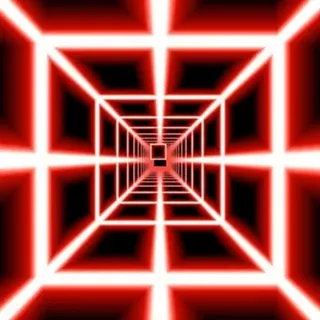
Death Run 3D
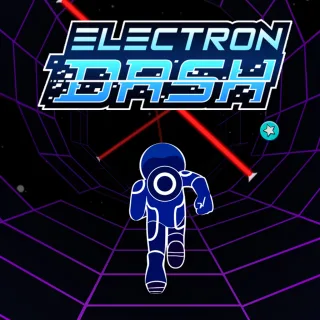
Electron Dash

Squid Dash
Level Devil
G-Switch 3
Gswitch
OvO 2

Stack Ball
Two Neon Boxes
Auto Ninja
Big Neon Tower Vs Tiny Square
Ovo Classic
Geometry Dash Unblocked — Play Free Online
Precision & TimingJump, fly, and flip to the beat in Geometry Dash, the rhythm platformer packed with challenging obstacle courses that you can play free in your browser.
Geometry Dash unblocked: play Geometry Dash online free right here in your browser — no download, no sign-up, works on a school Chromebook.
Geometry Dash is a high-speed rhythm platformer created by RobTop Games that demands impeccable timing, sharp reflexes, and acute auditory focus. Guiding a geometric icon through hazardous neon tracks, players must leap over spikes, navigate tight gaps, and time every movement to an energetic electronic soundtrack. The music does not merely accompany the action; its tempo and beat drops serve as essential rhythmic cues for upcoming hazards.
Every level is a synchronized obstacle course designed to test patience and pattern recognition. Because a single collision resets progress immediately in normal mode, success relies on building muscle memory through repeated attempts. Fans of intense reflex games on Death Run 3D will find a familiar thrill here, trading 3D tunnel dodging for precision 2D obstacle navigation at blistering speeds.
How to play
Your icon accelerates automatically from left to right across the screen. Your primary objective is guiding it safely past every hazard to reach 100% completion in a single unbroken run.
- Jump and Fly: Press the Spacebar, Up Arrow key, or click the left mouse button to jump over ground spikes and obstacles. Holding or tapping these inputs controls altitude during flight sections.
- Transformation Portals: Passing through glowing portals transforms your icon into different vehicles, such as a rocket ship for continuous flying, a gravity ball that flips vertical orientation, or a UFO that hops mid-air on each input.
- Jump Rings and Pads: Colored jump rings trigger mid-air hops when clicked at the exact moment of contact, while jump pads launch your icon automatically upon landing.
- Practice Mode: When learning a demanding layout, switch to Practice Mode to drop checkpoints and rehearse challenging sections without starting from scratch.
Strategies for beating difficult levels
- Rely on audio cues: Turn up the game sound. Jumps and vehicle transitions are deliberately synchronized with bass drops and beat accents, making audio timing far more reliable than visual reaction alone.
- Use gentle taps during rocket flight: When piloting the rocket ship, avoid holding down the jump button. Short, controlled feather taps provide much tighter vertical stability through narrow spiked passages.
- Focus your vision ahead: Resist the urge to stare directly at your icon. Keeping your eyes focused slightly ahead on the right side of the screen gives your brain extra milliseconds to anticipate incoming spikes and jump pads.
- Master transitions in Practice Mode: Portal shifts instantly alter gravity and physics. Drop practice checkpoints right before portals to build familiarity with sudden changes in momentum.
Similar reflex games on Death Run 3D
If you enjoy the fast-paced timing and instant restarts of Geometry Dash, explore other reflex-testing titles on Death Run 3D. Tunnel Rush delivers high-speed dodging through swirling, colorful 3D pipes, while Electron Dash challenges your spatial awareness on rotating cylindrical tracks with crumbling floor tiles. For classic downhill speed and slope management, Slope tests how long you can maintain control across randomized 3D courses.
Questions about Geometry Dash
Is Geometry Dash unblocked at school?
Geometry Dash runs in an ordinary browser tab from deathrun3d.org, with nothing to download or install, so it plays on most school Chromebooks and work computers. If a network filter blocks the site, only that network's administrator can change it.
What is Practice Mode in Geometry Dash?
Practice Mode allows players to place green diamond checkpoints throughout a level, making it easy to rehearse difficult obstacle sequences without resetting to the start after every crash.
What are the primary controls for playing Geometry Dash?
You can control your icon using the Spacebar, the Up Arrow key, or a left mouse click. Tapping or holding these inputs controls jumps, flight elevation, and vehicle pulses.
Do I need to install or download anything to play?
No downloads or plugins are required. Geometry Dash runs directly inside your web browser on desktop and mobile devices with full keyboard and touchscreen support.
How does progress work during normal level attempts?
In Normal Mode, completing a stage requires navigating from 0% to 100% in a single continuous attempt. Crashing into any hazard immediately sends you back to the beginning.